

Alert SCADA
A panel-mounted device family that monitors your plant 24/7. When a fault occurs, it notifies the right person instantly and sounds the siren on site by itself.
- Telegram and email
- Sirens and beacons
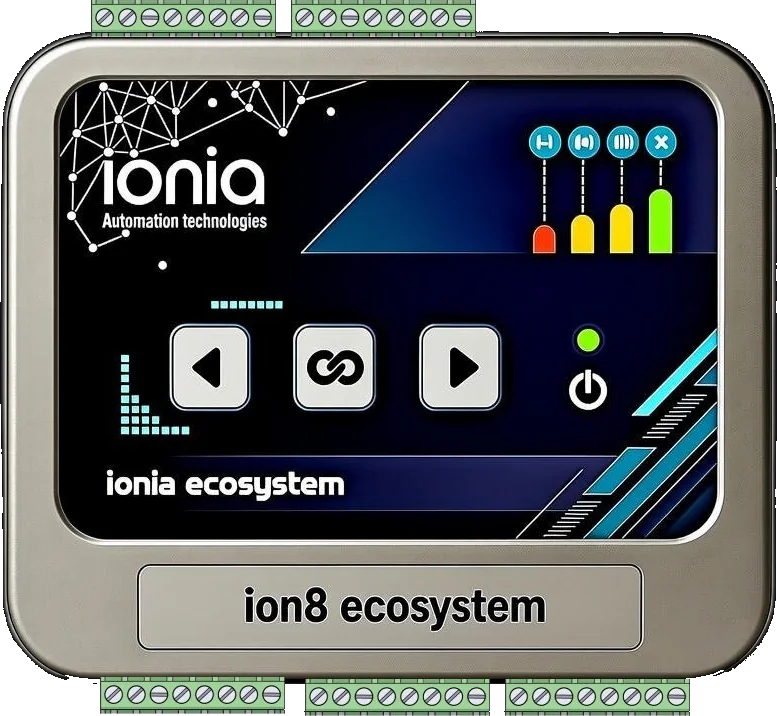
Notifies people, warns on site
Reaches the right person when a fault occurs and sounds the siren on site by itself
Notifies
When a fault occurs, it reaches the right person by Telegram and email. If nobody acknowledges, it moves on to the next person in charge: from the on-call technician to the shift supervisor, then to the maintenance manager. Who responded, and when, is logged.
Warns on site
On an alarm, the digital outputs (DO) switch on sirens, beacons, stack lights and horns automatically; even someone whose phone is on silent will hear it. An authorised person can switch the output off remotely, and every action is logged.
Models
Two models, one family; they work together on the same site
AS1111
32 digital inputs
Monitors and notifies: for sites with many contacts, thermal relays, switches and panel alarms.
AS1122
16 digital inputs · 16 digital outputs
Warns: manages sirens, beacons and lamps by rules according to the alarm; remote control.
| Feature | AS1111 | AS1122 |
|---|---|---|
| Digital inputs / outputs | 32 / — | 16 / 16 |
| Telegram and email notification, acknowledgement | Yes | Yes |
| Multi-level escalation, webhook | Yes | Yes |
| Web panel, event log, whole site on one screen | Yes | Yes |
| Output rules without code, remote control | — | Yes |
Example site: 4 × AS1111 monitor 128 digital inputs and 1 × AS1122 manages the site's sirens and lamps. All of them appear on a single site screen.
Application examples
Click an image to enlarge it
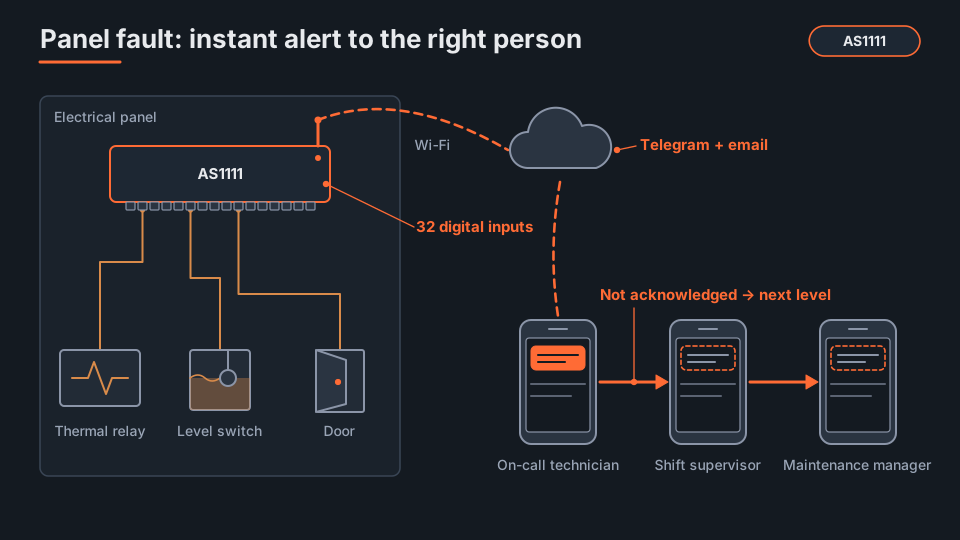
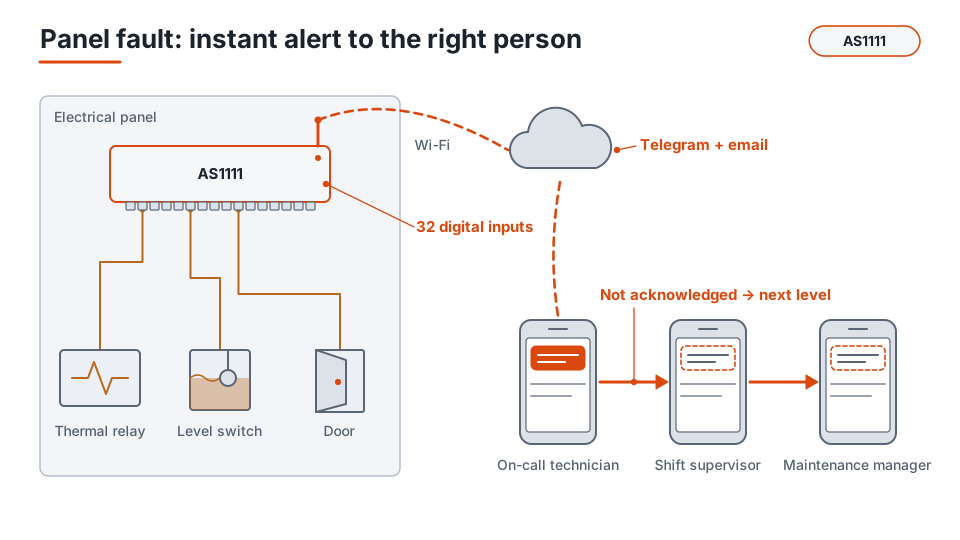
Thermal relays, level switches and door contacts in the panel are wired to AS1111; the fault goes to the on-call technician by Telegram and email and, if not acknowledged, escalates to the shift supervisor and the maintenance manager.
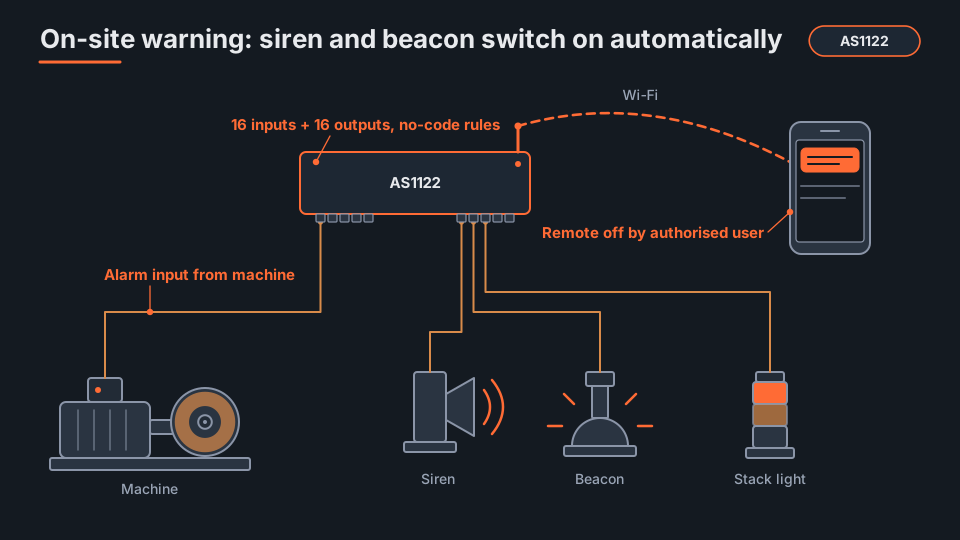
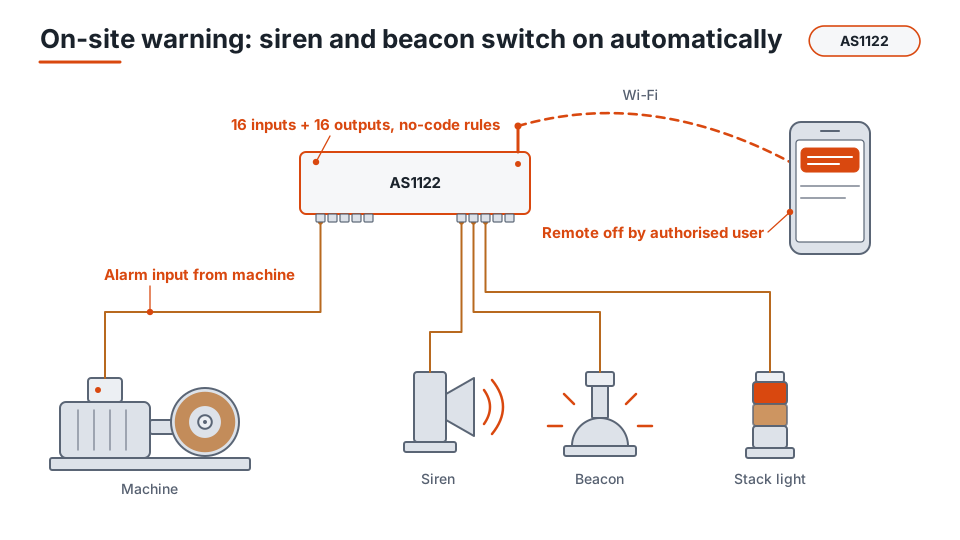
When a machine alarm comes in, AS1122 switches on the siren, beacon and stack light by itself; the notification also goes to the phone, and an authorised person can switch the output off remotely.
Web panel and site screen
Real screens: on computer and phone
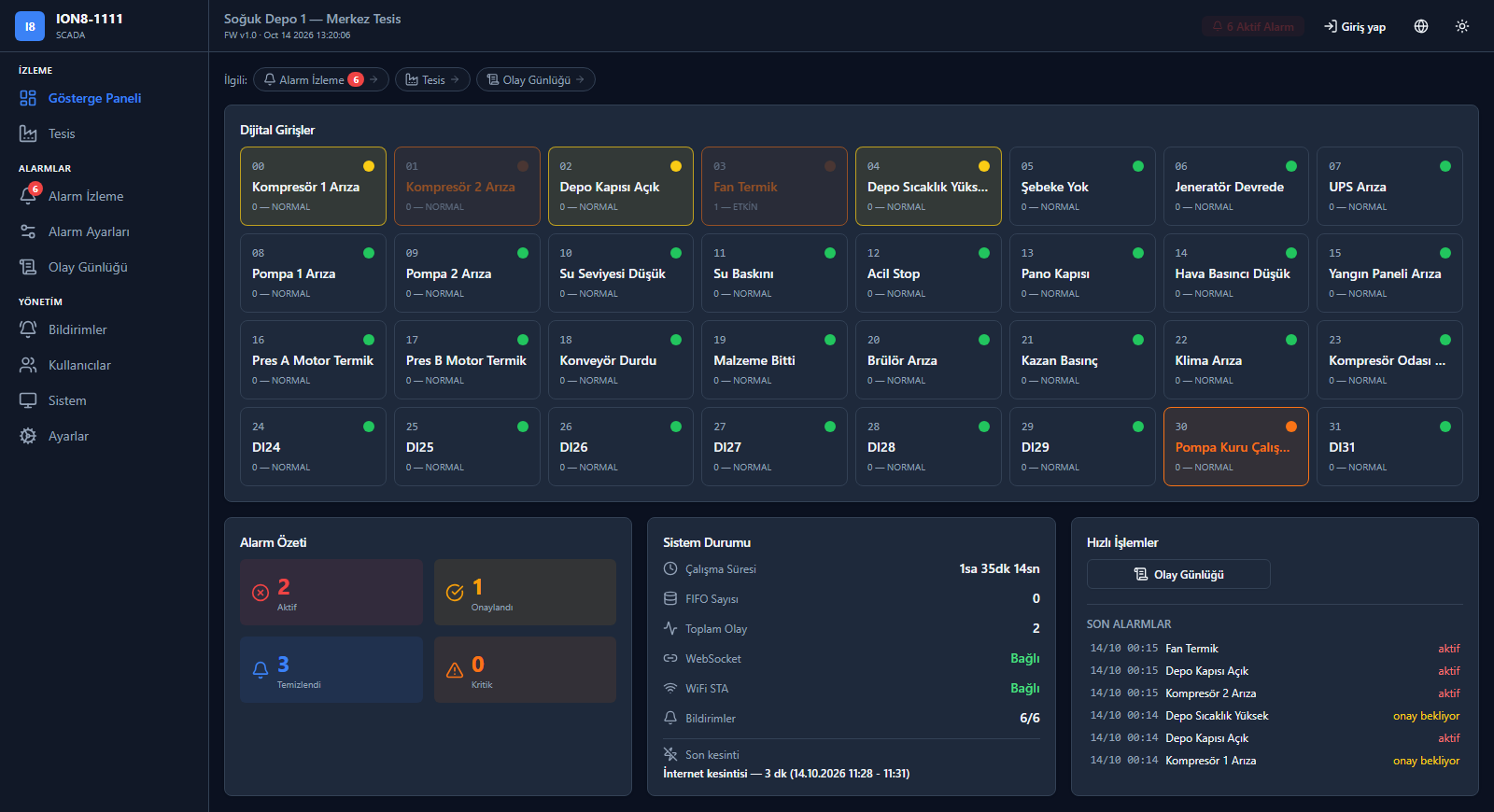
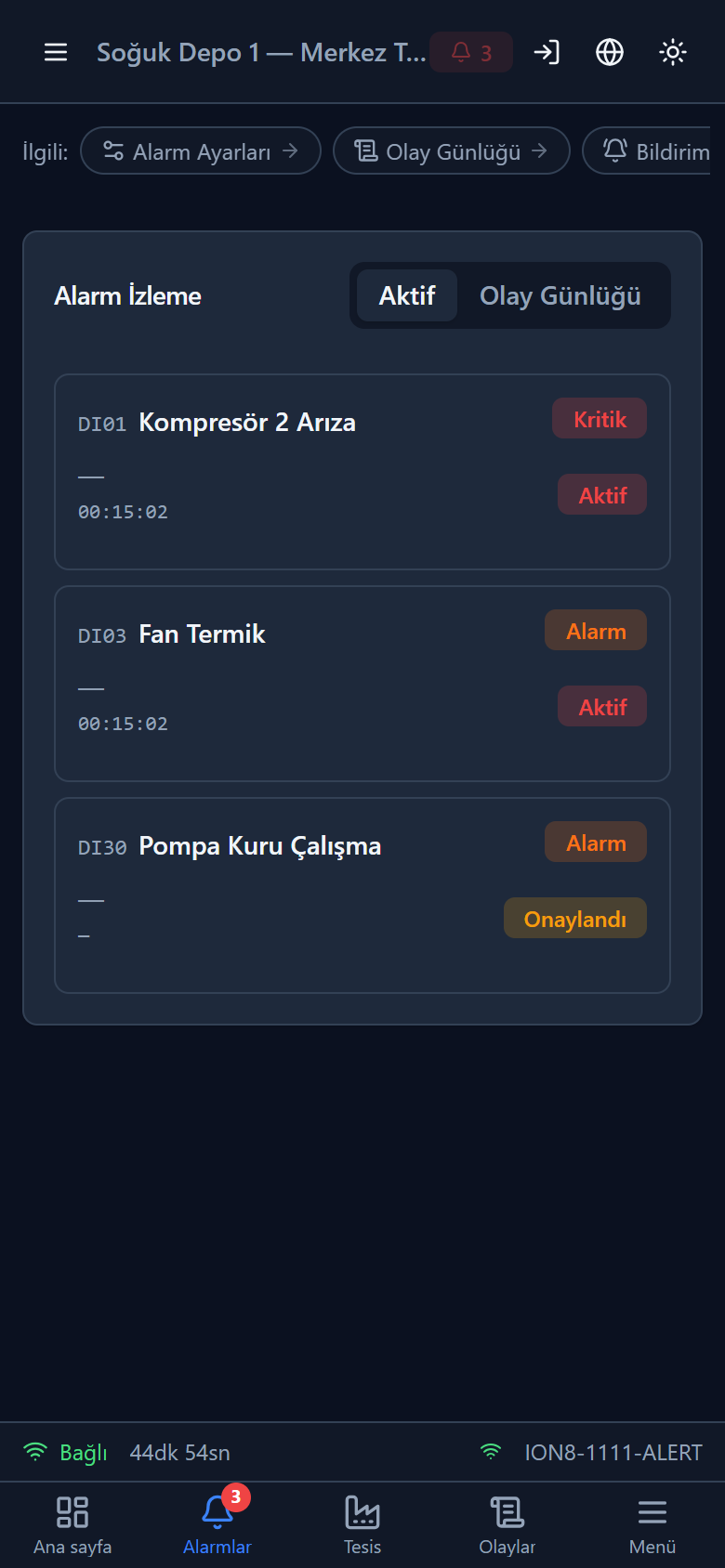
Device status, active alarms and recent events at a glance; the same panel also opens on a phone. Screenshots show the Turkish interface.
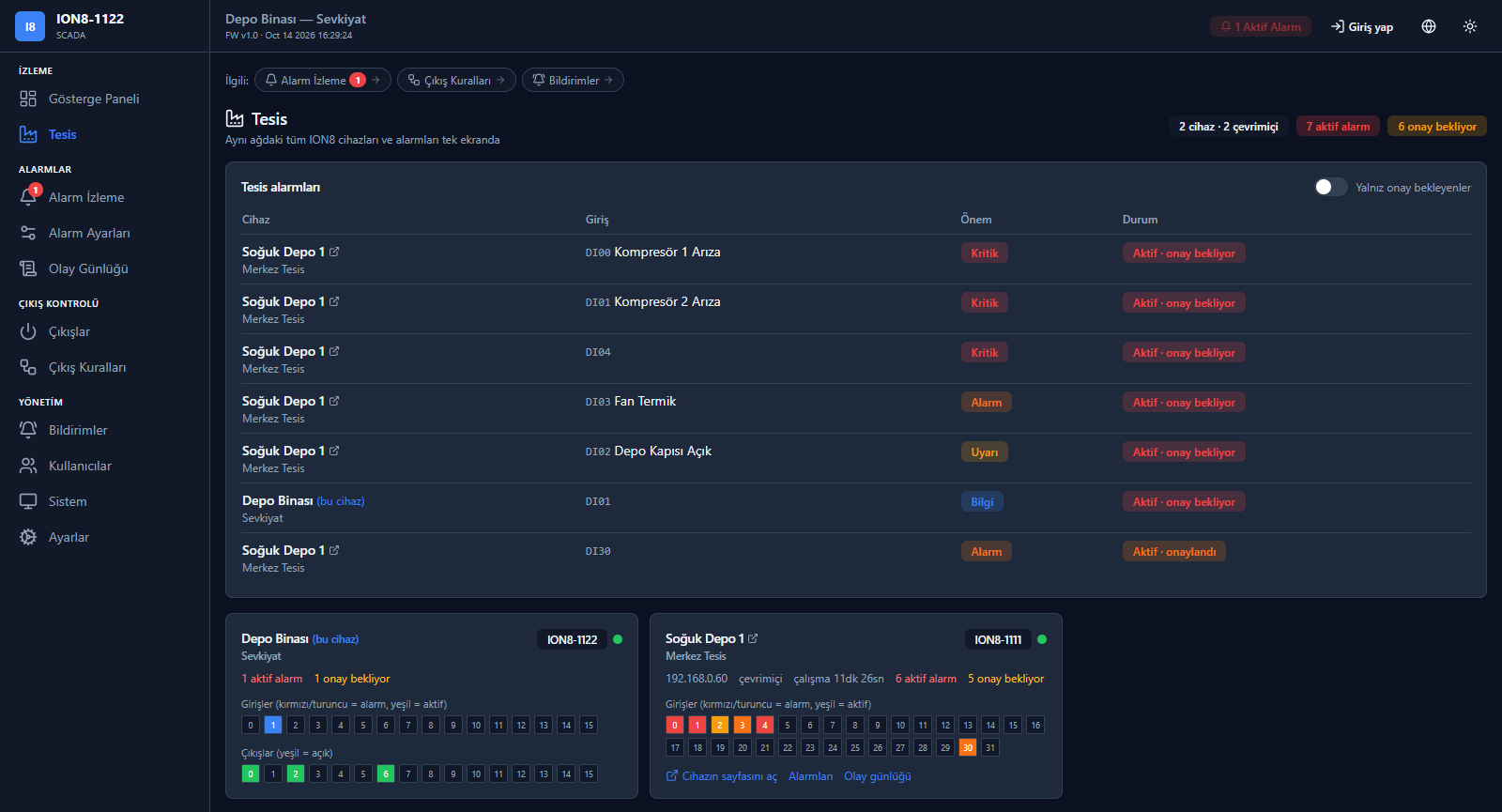
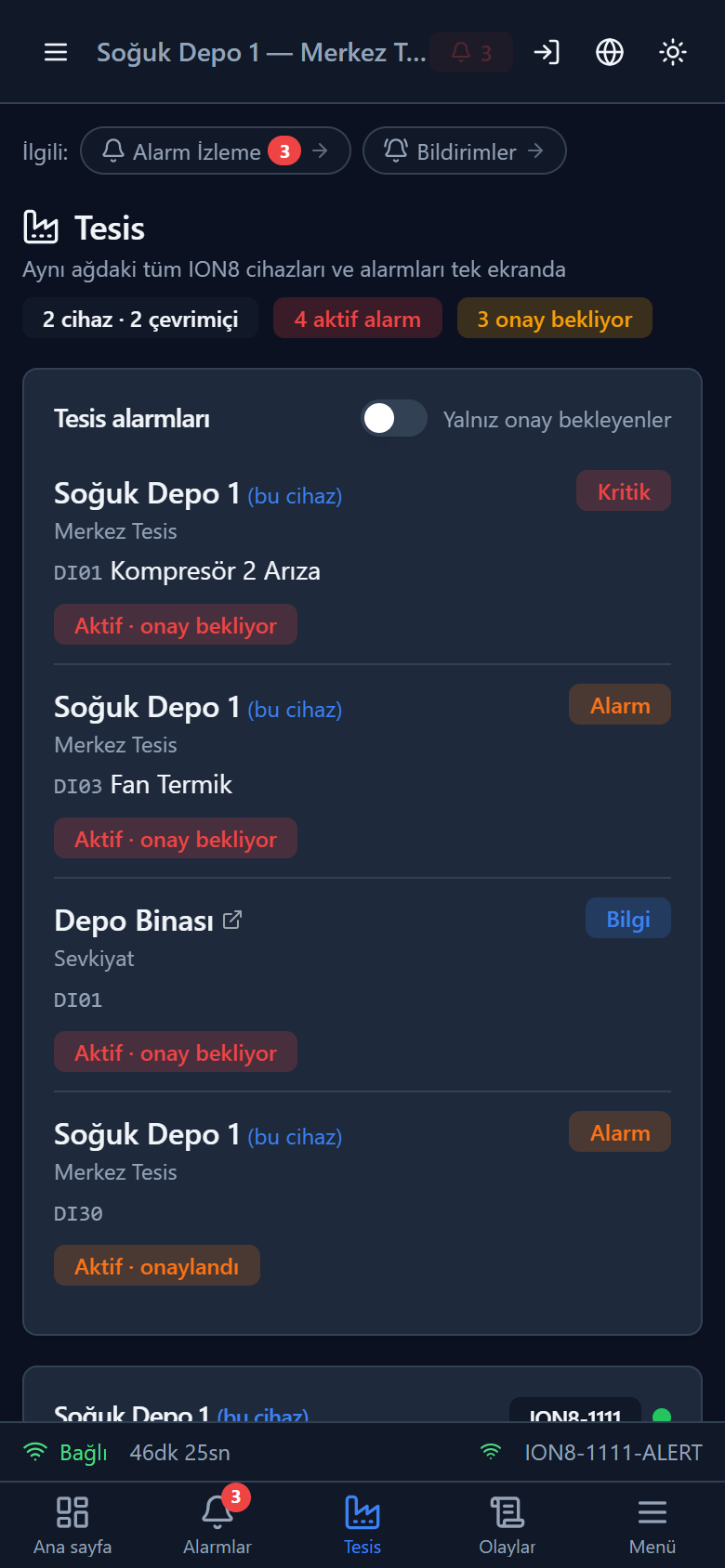
All Alert SCADA devices on your WiFi network on one screen; the overall state of the site can also be seen from a phone.
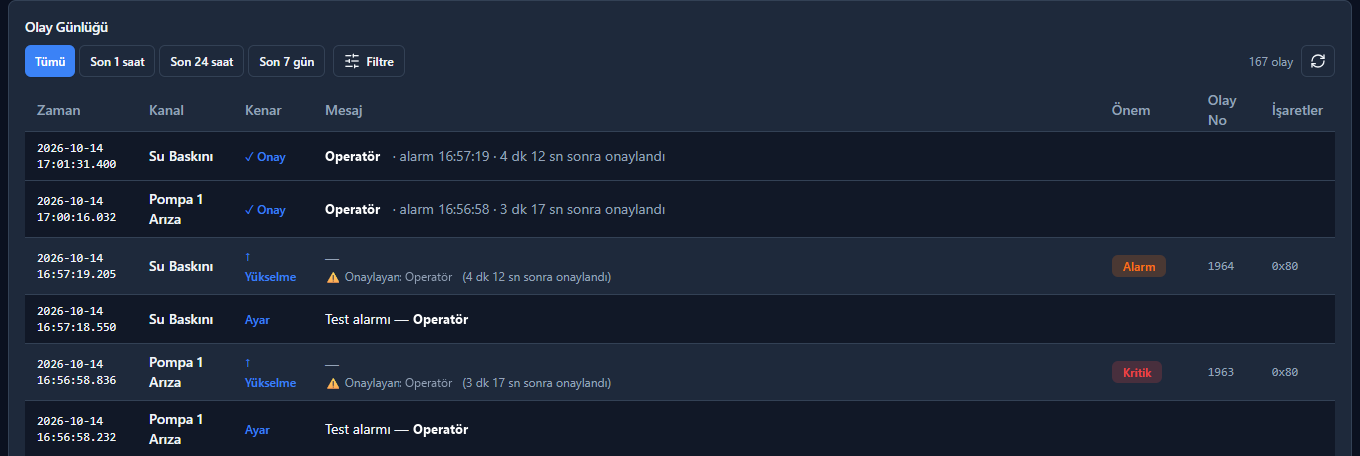
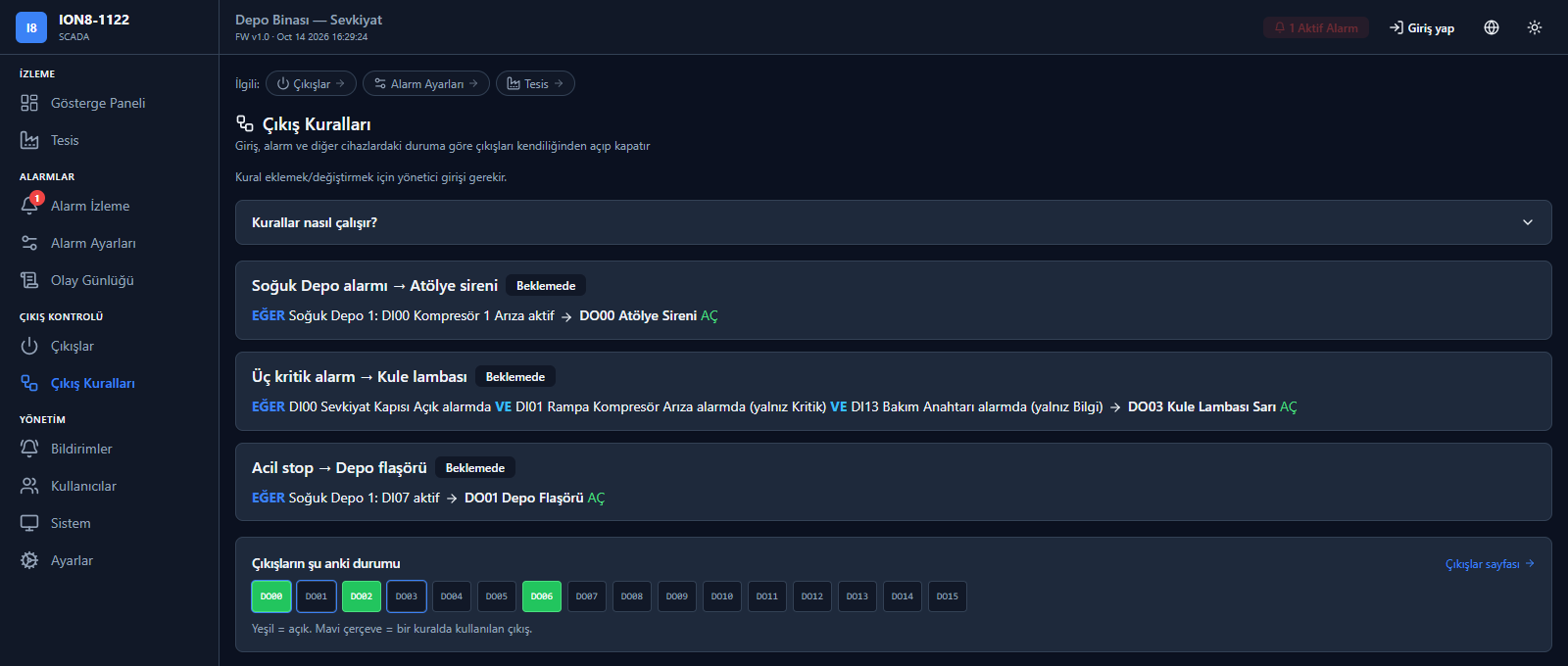
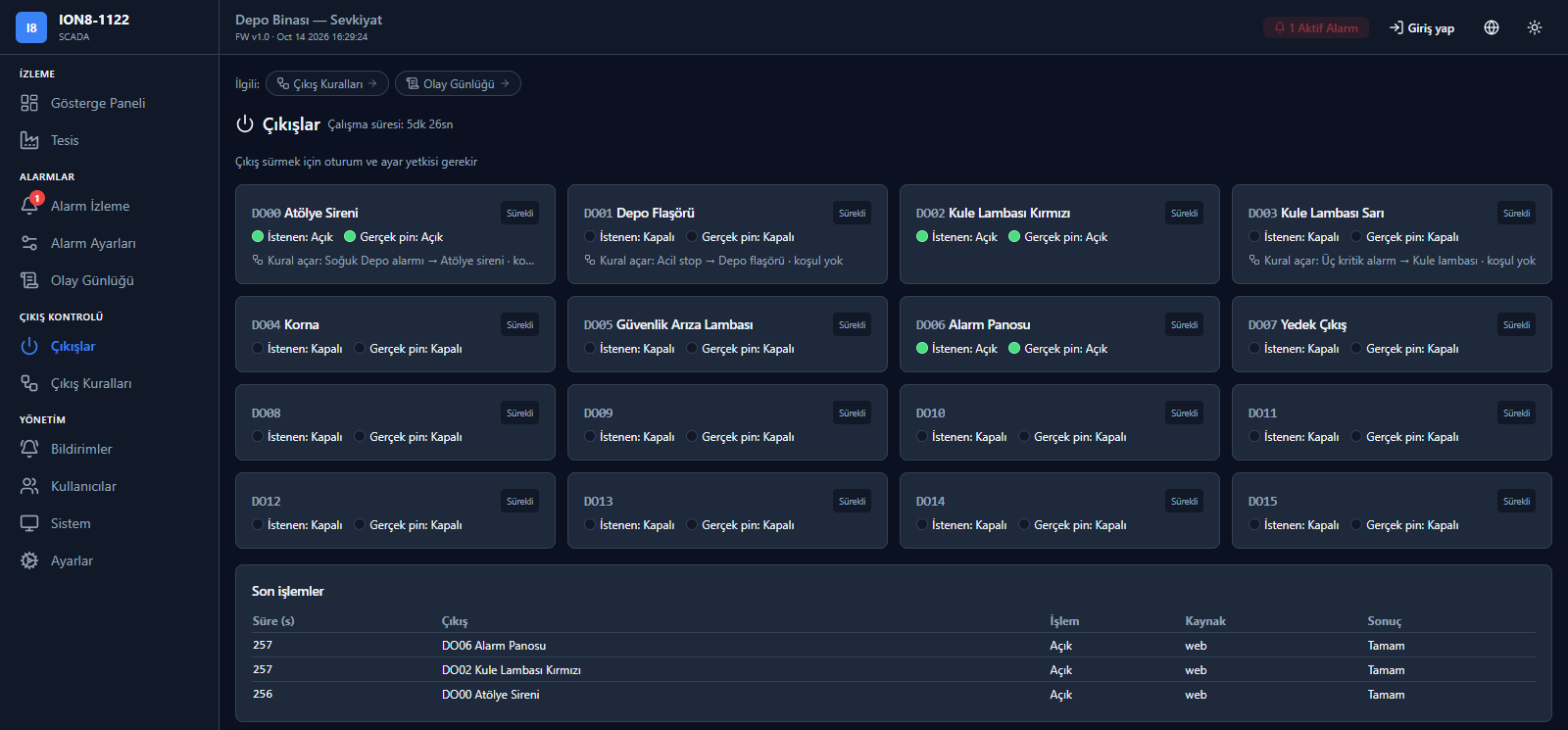
Output safety: Outputs are released (switched off) at power-up, during software updates and on power loss. AS1122 outputs are intended for warning, signalling and control; they are not a safety relay, an emergency stop or a machine safety circuit. Emergency stop and life-safety circuits remain in their own safety systems.
Outages, security, setup
Built for real site conditions
Internet or power outage
During an internet outage, monitoring and recording continue; notifications are sent with a delay note once the connection returns (those older than 30 minutes stay in the event log only). During a power outage the device stops; on restart it reports the outage duration, and settings and records are kept. A UPS-backed supply is recommended; the battery-backed clock of AS1111 records outage times correctly even without internet.
PIN and roles
Each user is assigned a role and a personal 4–6-digit PIN; acknowledgement, output control and settings depend on authorisation. Up to 32 users and 16 roles can be defined.
Wizard-guided setup
A wizard guides you step by step; connect to the device's WiFi with a QR code and configure it. Settings can be backed up.
Your data stays on site
There is no cloud account and no subscription. Settings and records stay on the device; user names and contact details are not sent to the manufacturer.
Where it is used
Any site where faults must be noticed immediately
Production plants
Machine and panel alarms; notification to the person in charge outside shifts too, and sirens on site.
Power plants
Solar (PV) included: inverter, transformer, panel and auxiliary-system alarms.
Compressors, pumps, generators
Fault and status signals; pressure and temperature switch alarms.
Cold rooms and warehouses
Temperature switch and door alarms; notification outside shifts too.
Buildings and infrastructure
Monitoring panel, UPS and auxiliary-system alarms in one place.
Technical specifications
Summary
| Specification | Value |
|---|---|
| Supply | 24 V DC nominal (15–30 V DC) |
| Inputs | Digital inputs, optically isolated |
| AS1122 digital outputs | 100 mA per channel; output voltage follows the supply. Use an interposing relay for larger loads. |
| Network | WiFi 2.4 GHz (5 GHz not supported) |
| Mounting | Screw-mount on a flat surface, inside a panel |
| Protection | Partial protection against dust |
| Warranty | 24 months (against manufacturing defects) |
Documents
AS1111 and AS1122: presentation, brochure, datasheet, installation guide and user manual
Alert SCADA · Family presentation
AS1111
AS1122
Frequently asked questions
Do we need to replace our existing SCADA?
No. Alert SCADA runs in parallel with your existing system; it takes signals directly from the panel.
Does it replace a fire, gas or life-safety system?
No. Alert SCADA is a monitoring and notification tool; it does not replace fire, gas or life-safety systems. It monitors their contacts and gets the information to the right person.
Is a cloud account required?
No. Data stays at your site; there is no subscription.
What happens if the internet goes down?
The device keeps running and recording events; notifications are delivered when the connection returns. Notifications held for more than 30 minutes are not sent but remain in the event log.
Can it be integrated with other systems?
AS1111 and AS1122 can send events to your server by webhook (HTTP/HTTPS POST, JSON) and offer read-only REST endpoints. Contact us about integration with systems such as ERP.
What is the warranty?
24 months, against manufacturing defects.
Getting started
In 4 steps
1 · Discovery
Together we define the signals to monitor and the notification flow.
2 · Quote
A quote with the right models and quantities for your needs.
3 · Commissioning
Installation, user setup and output rules.
4 · Support
We stay with you throughout operation.
Tell us about your site
Share the signals you want to monitor and who should be notified; we will propose the right Alert SCADA setup.
Request informationContact: [email protected] · ionia-automation.com